 Click for Full Size
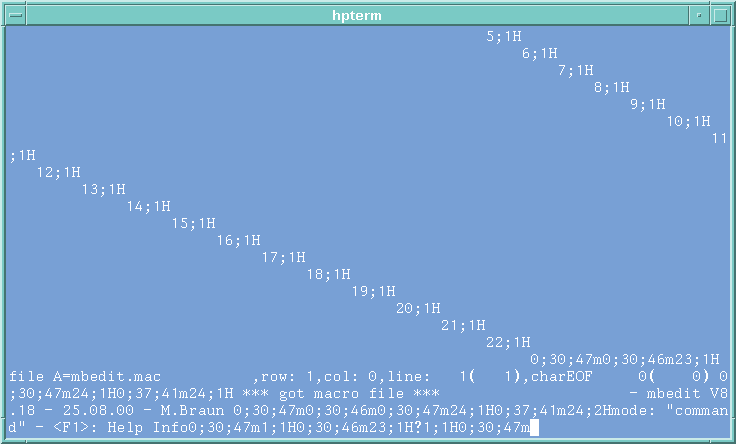
mbedit started in an hpterm
Click for Full Size
mbedit started in an hpterm A: You are probably using the wrong terminal emulation (hpterm instead of xterm). mbedit assumes to run in a vt100 compatible terminal window. If you are inside an hpterm, this doesn't interprete the escape sequences correctly and thus produces a lot of unreadable characters. Solution: Start an xterm by typing "xterm &" and start mbedit again in the new xterm, which is vt100 compatible.
 Click for Full Size
mbedit started in an xterm (empty file)
Click for Full Size
mbedit started in an xterm (empty file) Q: It's not possible to open an xterm. I get an error message instead: "Error: Can't open display: hostname:0.0 Error: Couldn't find per display information". A: Make sure, that the environment variable DISPLAY ist set correctly, for example: DISPLAY=xterm16:0.0 export DISPLAY Set the access rights by typing "xhost +" in a new window. The system must response with: "access control disabled, clients can connect from any host".